AI for Small Business: Do You Really Need AI Skills?
Do I Really Need AI Skills to Run My Business?
Not always. But learning a few simple AI skills can save time, reduce repetitive work and help you make better decisions.
This simple guide to AI for small businesses will show you where to start — without coding or technical knowledge.
You don't need to become an AI expert. You need to become good enough to tell AI what you want, check what it gives you, and decide whether it helps your business.
What is AI?
AI means smart computer tools that can do tasks people usually do.
Some AI can write text, make pictures, answer questions, or look at data and find patterns.
Think of AI like a fast helper that can do boring, slow, or hard tasks.
Why people worry about AI
Many business owners hear about AI and feel they must learn it fast. They worry they will be left behind.1.
That fear can be real. But you do not need to be an AI expert to run a good business.
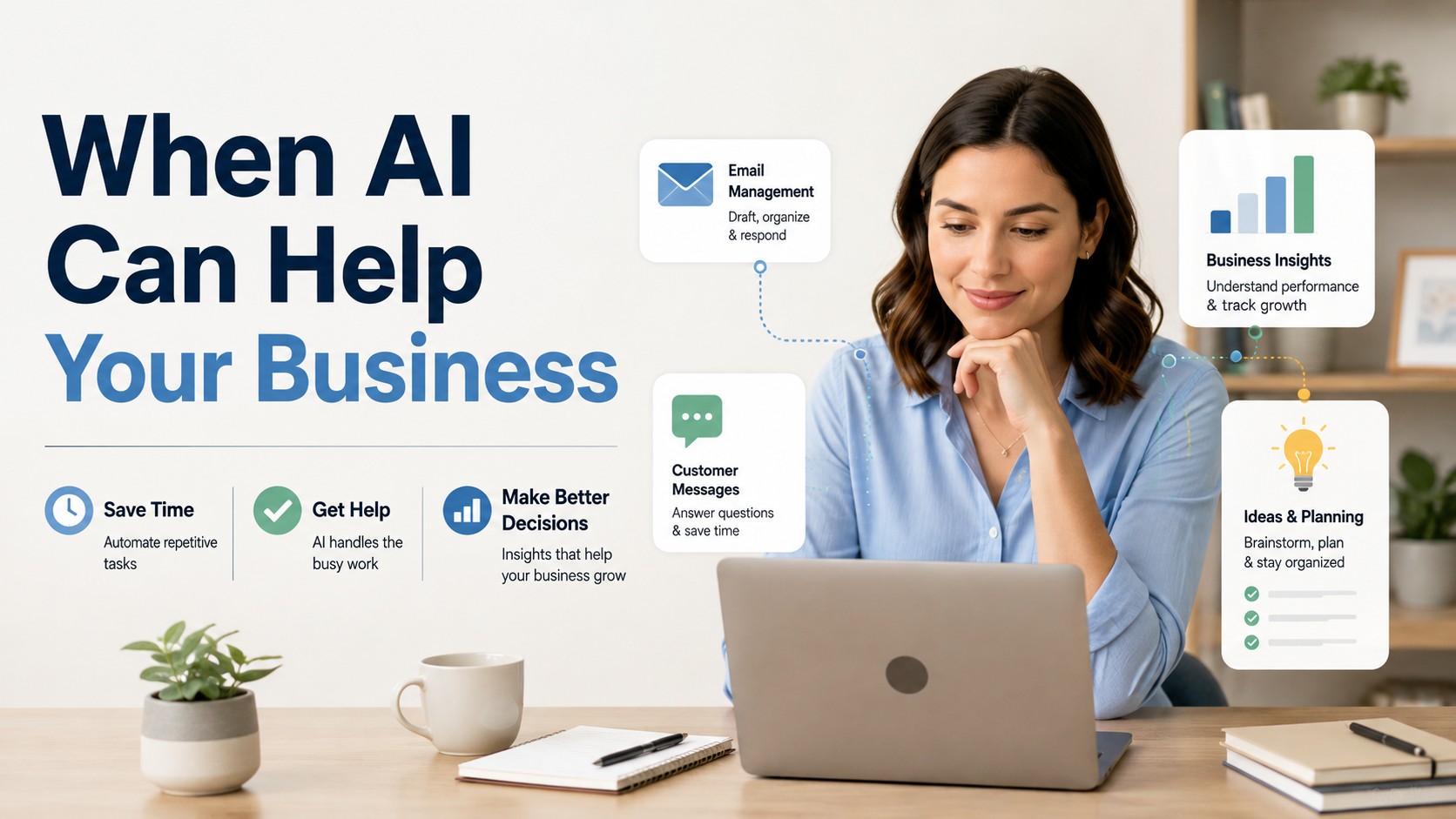
When AI can help your business
AI can help in many ways. Here are simple cases:
1. - Save time: AI can write emails, make ads, or answer customer messages fast.
2. Simple solution: Use AI tools that write drafts for you. Check and edit the drafts before you send them.
1. - Cut costs: AI can do tasks that cost a lot of staff time.
2. Simple solution: Try one tool to automate one task, such as scheduling, then see if it saves time.
1. - Make better choices: AI can show patterns in sales or customer likes.
2. Simple solution: Use a simple dashboard tool that shows which products sell most and when.
1. - Improve marketing: AI can help find good words or images for ads.
2. Simple solution: Use an AI tool to make a few headline ideas. Pick the ones you like and test them.
1. - Help with ideas: AI can suggest new products or ways to serve customers.
2. Simple solution: Ask an AI tool for five new product ideas. Pick one to try.
When AI is not needed
AI is not a magic fix. You may not need it if:
You run a very small shop with only a few customers and personal service.
Your tasks are simple and already easy to do.
Your business depends on deep human skills like art made by hand, close personal trust, or face-to-face service.
Simple solution: Keep doing what works. Try one small AI tool only if you need to save time.
How to decide if you need AI skills
Ask these easy questions:
Do I spend a lot of time on the same tasks over and over?
Do I want to grow faster but lack time or money?
Do I have data (like sales numbers) that I could use to make better choices?
If you answer yes to one or more, AI can help. If not, AI is not a must.
How much AI skill do you really need?
You do not need to learn coding or math. Start with basic skills:
Know what AI tools do. You do not need to build them.
Learn how to use one or two tools well.
Learn how to check and edit what AI gives you.
These three skills are enough for most small businesses.
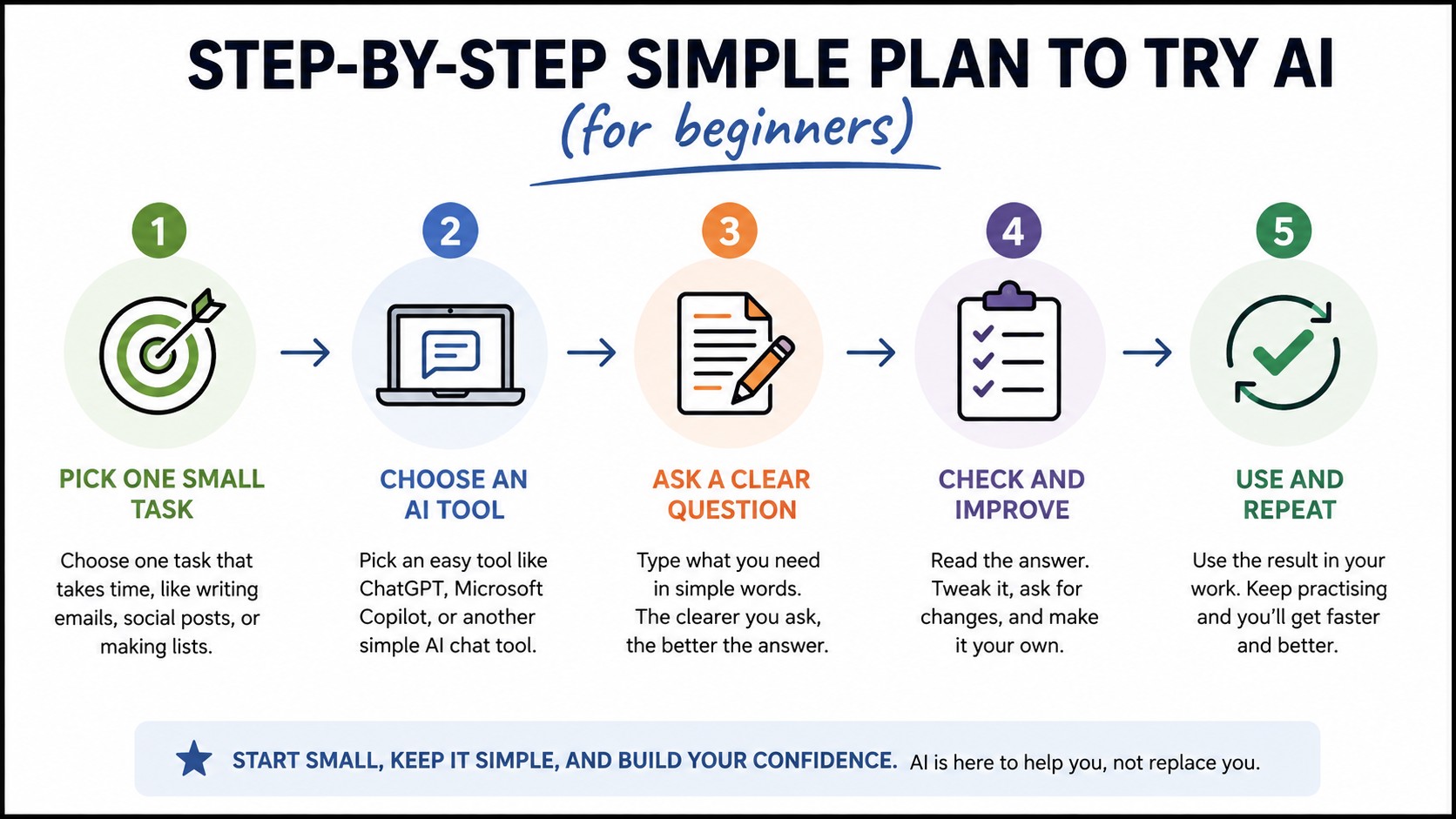
Step-by-step simple plan to try AI (for beginners)
1) Pick one task to improve
Simple solution: Pick a task that takes lots of time, like writing emails, making invoices, or posting on social media.
2) Pick one easy tool
Simple solution: Find an app that does that task. Many tools have free trials.
Ask a friend or search for “best AI tool for small business emails” and pick the top-rated one.
3) Learn the basics for 30 minutes
Simple solution: Watch one short tutorial video or read one quick guide.
4) Use the tool for one week
Simple solution: Try the tool on real work.
Edit its output to fit your voice.
5) Measure results
Simple solution: Count time saved, clicks, or extra sales. If it helps, keep it. If not, stop.
Simple examples for small businesses
1. Bakery: Use AI to write a short weekly post for social media.
2. Solution: Ask the tool for 5 post ideas, pick one, and post a photo.
1. Local shop: Use AI to answer common customer questions after hours.
2. Solution: Set up an AI chat to use pre-written answers. Check chats each day.
1. Freelance designer: Use AI to find new clients by writing a short pitch email.
2. Solution: Give the AI tool facts about the client and ask for a 3-line pitch. Edit and send.
1. Landscaping company: Use AI to make quotes faster.
2. Solution: Use a template and let AI fill in numbers based on yard size.
How to keep things safe and simple
AI tools can make mistakes. They may write things that are wrong or say things that may not fit your brand.
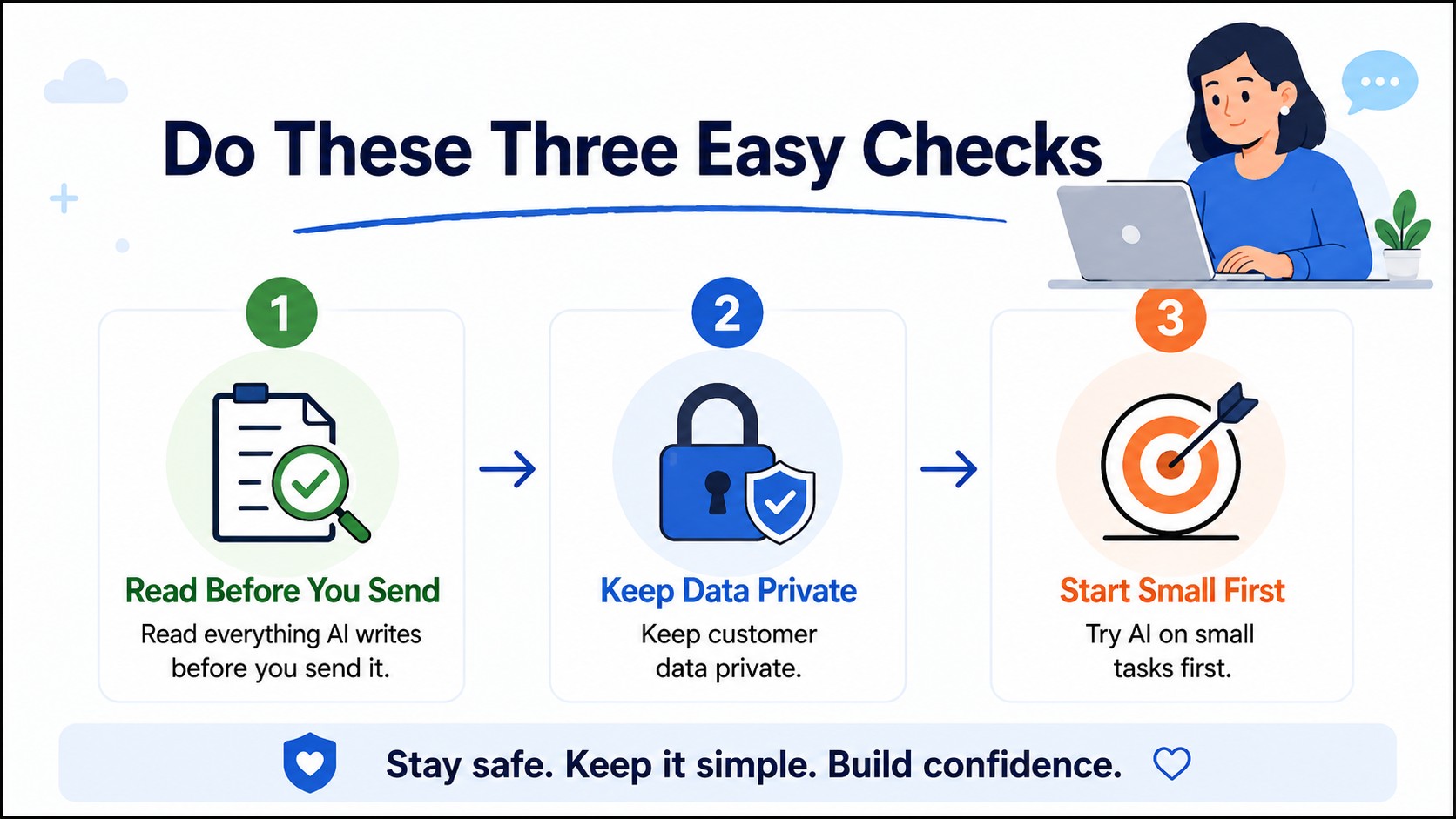
Do these three easy checks:
1. - Read everything AI writes before you send it.
2. - Keep customer data private. Do not upload personal info unless the tool is safe.
3. - Try AI on small tasks first; do not let it run your whole business at once.
Hire or contract help if needed
If you do not want to learn AI tools, you can hire someone to help.
Look for freelancers who already use AI well. They can set up tools and teach you just the parts you need to know.
Simple solution: Hire a short one-day session to set up a tool. Ask for a one-page guide on how to use it.
Cost and return AI tools can be low cost or expensive.
Start cheap. Many tools have free plans or trials. Use them for a month and see if they save time or make more money.
Simple solution: Try a free plan for 30 days. Track if you save hours or get more sales.
Big risks to watch for
1. - Overdependence: Don’t let AI replace human care and judgment.
2. Solution: Always add a human check for important items.
3. - Bad outputs: AI can write wrong facts.
4. Solution: Verify any facts it gives.
5. - Privacy issues: Don’t share sensitive customer data with unknown tools.
6. Solution: Read tool rules or keep data private.
Final advice — simple and clear
You do not HAVE to learn deep AI skills to run a good business.
Most owners only need to know how to use one or two tools.
The best plan is simple:
1. - Start small: pick one task.
2. - Try one tool: use it for one month.
3. - Check results: keep what helps, stop what does not.
4. - Get help: hire a short-term pro if you prefer.
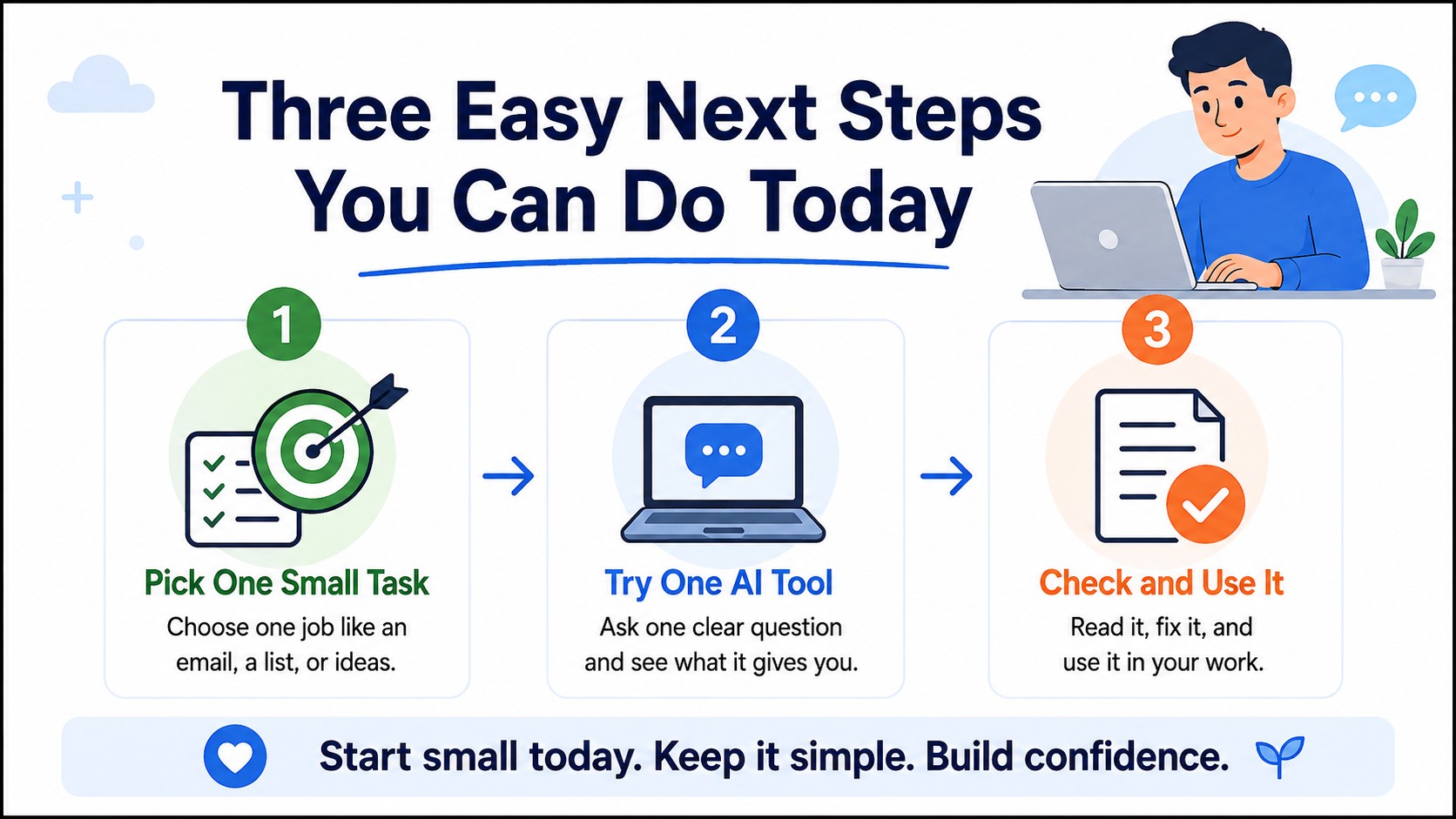
Three easy next steps you can do today
1) Write down one boring task you hate doing.
2) Search for “AI tool to help [that task]” and pick one.
3) Try the free plan for a week and see how it goes.
Closing thought
AI is a tool, not a boss. Use it to save time, not to replace care and trust.
If you try one small thing, you may find AI helps a lot. If it does not help, you can stop.
That way you stay in charge of your business.
FAQ
Do I need AI for my small business?
No. You can run a good business without AI.
But AI can save you time, help with simple tasks, and give you ideas.
Start with one small task and see if it helps.
What AI skills should a small business owner learn?
You only need a few basic skills.
Learn how to ask AI clear questions, check the answers it gives you, and use one or two AI tools that help with your daily work.
Do I need to know coding to use AI?
No. Most small business owners do not need to know coding.
Many AI tools work by simply typing or speaking what you want, much like asking another person for help.
What is the easiest AI tool for a beginner?
Start with a simple AI chat tool.
You can use it to write emails, create ideas, explain information, or help plan your work.
Learn one tool well before trying lots of others.
How can AI save a small business time?
AI can help with jobs you do again and again.
It can draft emails, write social media posts, make lists, summarize information, and answer simple questions.
You still check the work before using it.
Is AI safe for customer information?
It can be, but you need to be careful. Do not put private customer details, passwords, bank information, or other sensitive information into an AI tool unless you know the tool is safe and approved for that use.

Latest Posts
AI for Small Business:
Do You Really Need AI Skills?
AI means smart computer tools that can do tasks people usually do. Some AI can write text, make pictures, answer questions, or look at data and find patterns.... READ: AI for Small Business
Good Debt vs Bad Debt:
How Debt Can Build Wealth

Most people are taught that all debt is bad. Pay off the house. Cut up the credit cards.Never borrow money. Stay debt-free.
How To Help Your Business
Survive A Shaky Economy

A business does not survive by guessing. A business survives by watching cash, protecting customers, cutting waste....
7 Money Moves Every
Small Business Should Make

This is why cash flow management tips matter more in uncertain times. When things get shaky... READ: 7 Money Moves Every Small Business Should Make
Prevent Financial
Statement Fraud Using Ai
The 7 internal controls to prevent fraud (and stop financial statement fraud early).These are the “boring” habits that protect smart
6 Secret Business
Tips
Ever feel like you’re working hard… but the money still feels “mysterious”? But you can’t always tell what’s actually moving the needle?

Disclaimer: The content shared on this blog and in these videos is for informational and educational purposes only. Despite my 30 years of experience as a business owner, I am not a certified financial advisor, accountant, or legal professional. The insights and tips shared are based on personal experiences and should not be taken as professional financial or legal advice. For financial, legal, or professional advice, please consult with a certified professional in the respective field. I disclaim any liability or responsibility for actions taken based on any information found in this blog or these videos.
This is general education only. For tax advice, speak to a qualified tax professional in your country.
Copyright Learn Accounting Fast - All Rights Reserved 2025
Facebook
Instagram
X
LinkedIn
Youtube